How much of your detection estate actually works?
SentinelHealthCheck grades your Microsoft Sentinel workspace in about ten minutes and hands back a report card you can take to your team.
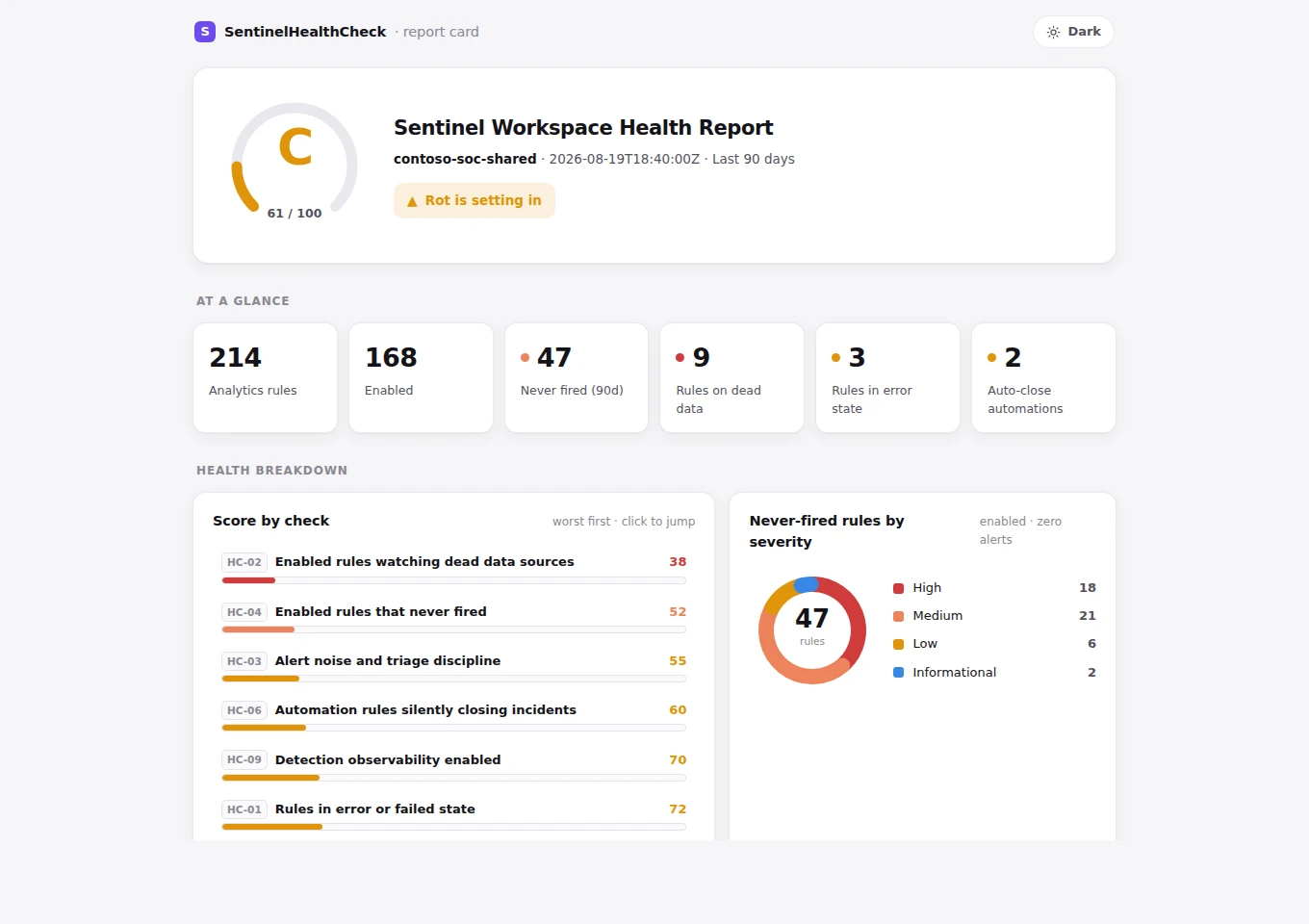
A sample report card. The numbers here are illustrative; the layout is exactly what the tool produces.
Rule count is not coverage.
Every workspace can tell you how many analytics rules it has. None of them tell you how many are alive.
Vendor packs enabled during onboarding. Migration leftovers nobody owns. Rules disabled during a noise storm two years ago. Rules watching a table that quietly stopped ingesting in March.
The worst of these is the last one. A rule that is enabled, error free, and watching a dead table shows green. The coverage report counts it. The detection has been gone for months, because detections do not fail loudly. Their data does, quietly.
Five answers you cannot get from the portal.
- How much of your coverage is real. Enabled, disabled, and never-fired rules separated out, so the number you report is the number that works.
- Which detections are watching nothing. Enabled rules pointed at tables that stopped ingesting, with how many days they have been silent.
- Where your analysts' time is going. The rules generating the most incidents, and what share of them close as false positive.
- What is being closed before a human sees it. Automation rules auto-closing incidents, deliberate or otherwise.
- Whether you would even know. If health monitoring is off, a rule that stops running never tells you.
Seven checks, each scored and weighted into one grade, with the findings behind every score listed so you can argue with them.
Read-only, and it stays on your machine.
It runs on your workstation under your own Azure sign-in and needs two reader roles: Microsoft Sentinel Reader and Log Analytics Reader. It reads your workspace and never writes to it. The report is a local HTML file. There is no telemetry, no phone-home, and no third-party host.
The source is public, so none of that has to be taken on trust. Setup, the exact permissions, and a line-by-line account of what it touches are in the repository.
Run it, then tell me your grade.
If the grade surprises you and you want a second pair of eyes on the report, say so and I will walk you through it. No charge, no pitch.
Or write to charles@purpleshellsecurity.com directly.
If the report shows a coverage problem rather than a cost problem, that is what the Detection Gap Assessment is for.